[etc] Mac M1 iTerm2 & homebrew & oh-my-zsh 설치
1. iTerm2 설치
iTerm2 - macOS Terminal Replacement
iTerm2 by George Nachman. Website by Matthew Freeman, George Nachman, and James A. Rosen. Website updated and optimized by HexBrain
iterm2.com
2. homebrew 설치
Homebrew
The Missing Package Manager for macOS (or Linux).
brew.sh
/bin/bash -c "$(curl -fsSL https://raw.githubusercontent.com/Homebrew/install/HEAD/install.sh)"
성공 후 next steps 따라 치면 됨
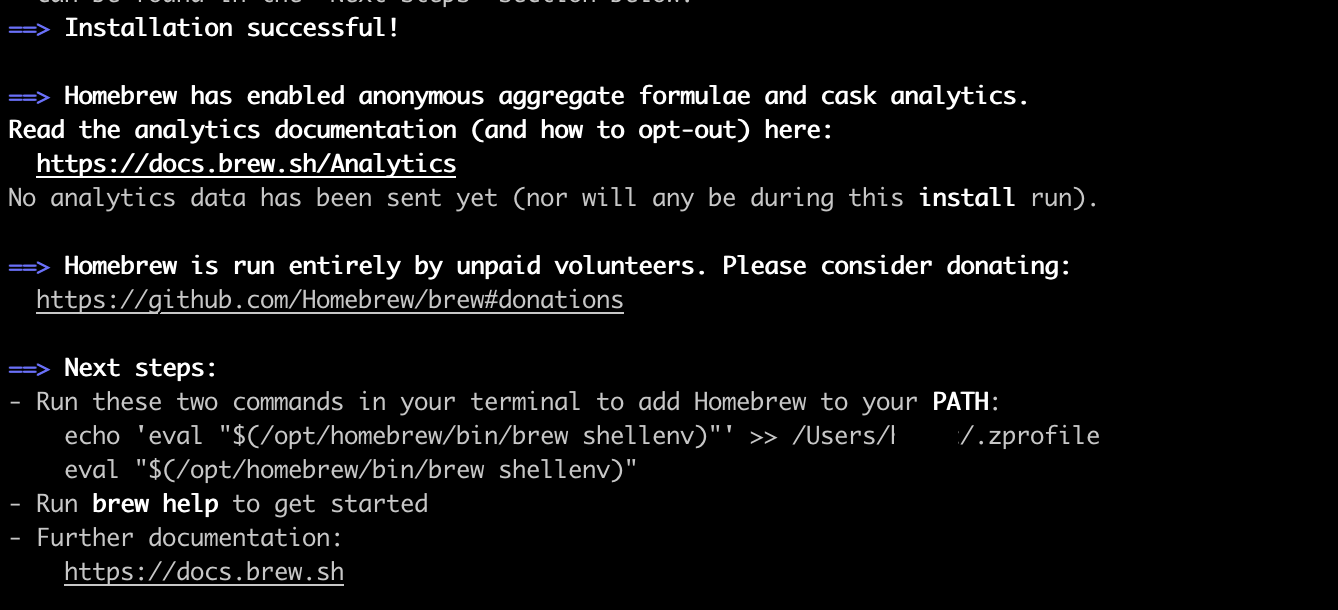
echo 'eval "$(/opt/homebrew/bin/brew shellenv)"' >> /Users/[본인]/.zprofile
eval "$(/opt/homebrew/bin/brew shellenv)"
설치 후
brew --version
또는
which brew
해보면 제대로 깔렸는지 확인 가능
혹시 재설치를 해야한다면
/bin/bash -c "$(curl -fsSL https://raw.githubusercontent.com/Homebrew/install/HEAD/uninstall.sh)"
아래 같이 뜨면 밑에 링크 참조
==> Homebrew uninstalled!
The following possible Homebrew files were not deleted:
/opt/homebrew/SECURITY.md
/opt/homebrew/etc/
/opt/homebrew/share/
/opt/homebrew/var/
You may wish to remove them yourself.
How to uninstall Homebrew of Rosetta and install Homebrew native on Mac Bigsu (M1)
Previously I have installed Homebrew rosetta version on MacOs M1, now I see HomeBrew has native version, So how do I remove HomeBrew on rosetta and install the native version. Please help me with t...
stackoverflow.com
3. zsh & oh-my-zsh 설치
brew install zsh
sh -c "$(curl -fsSL https://raw.github.com/ohmyzsh/ohmyzsh/master/tools/install.sh)"
4. iterm2 theme 변경
여기에서 마음에 드는 theme 다운로드
https://iterm2colorschemes.com/
Iterm Themes - Color Schemes and Themes for Iterm2
iTerm Themes Intro This is a set of color themes for iTerm (aka iTerm2). Screenshots below and in the screenshots directory. Installation Instructions To install: Launch iTerm 2. Get the latest version at iterm2.com Type CMD+i Navigate to Colors tab Click
iterm2colorschemes.com
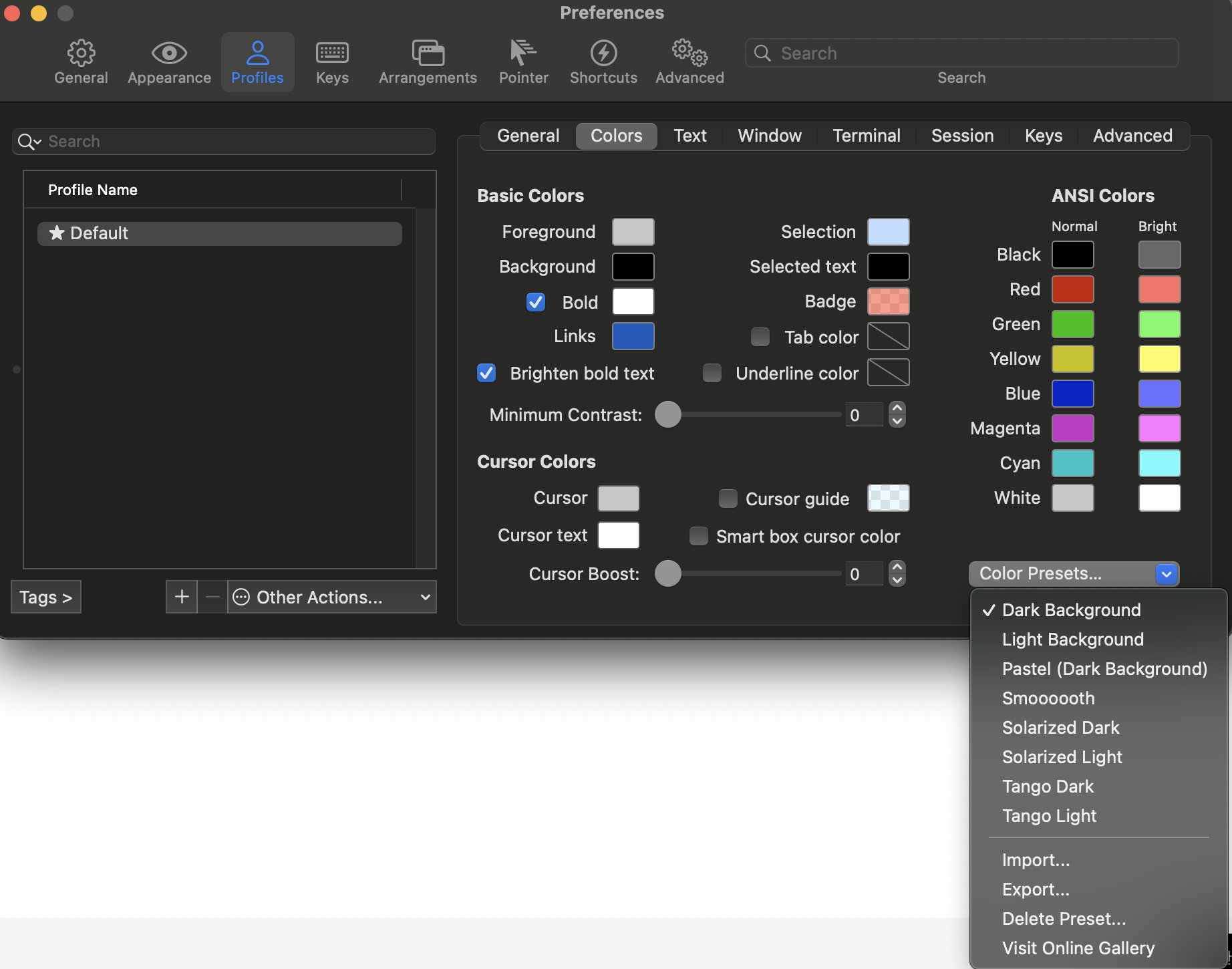
Preferences > Profiels > Colors 탭 > import > 다운 받은 테마 선택
Color Presets 다시 눌러보면 다운 받은 테마 들어가 있음 선택 하면 끝
5. zsh theme 변경
디폴트는 robbyrussell로 설정되어 있고 바꿔봄
찾아보니깐 agnoster 테마를 많이 쓰는 듯 하여
https://github.com/ohmyzsh/ohmyzsh/wiki/themes
GitHub - ohmyzsh/ohmyzsh: 🙃 A delightful community-driven (with 2,000+ contributors) framework for managing your zsh config
🙃 A delightful community-driven (with 2,000+ contributors) framework for managing your zsh configuration. Includes 300+ optional plugins (rails, git, macOS, hub, docker, homebrew, node, php, pyth...
github.com
파일 수정
ZSH_THEME 원하는 테마로 변경
vi ~./zshrc

변경 후
source ~./zshrc
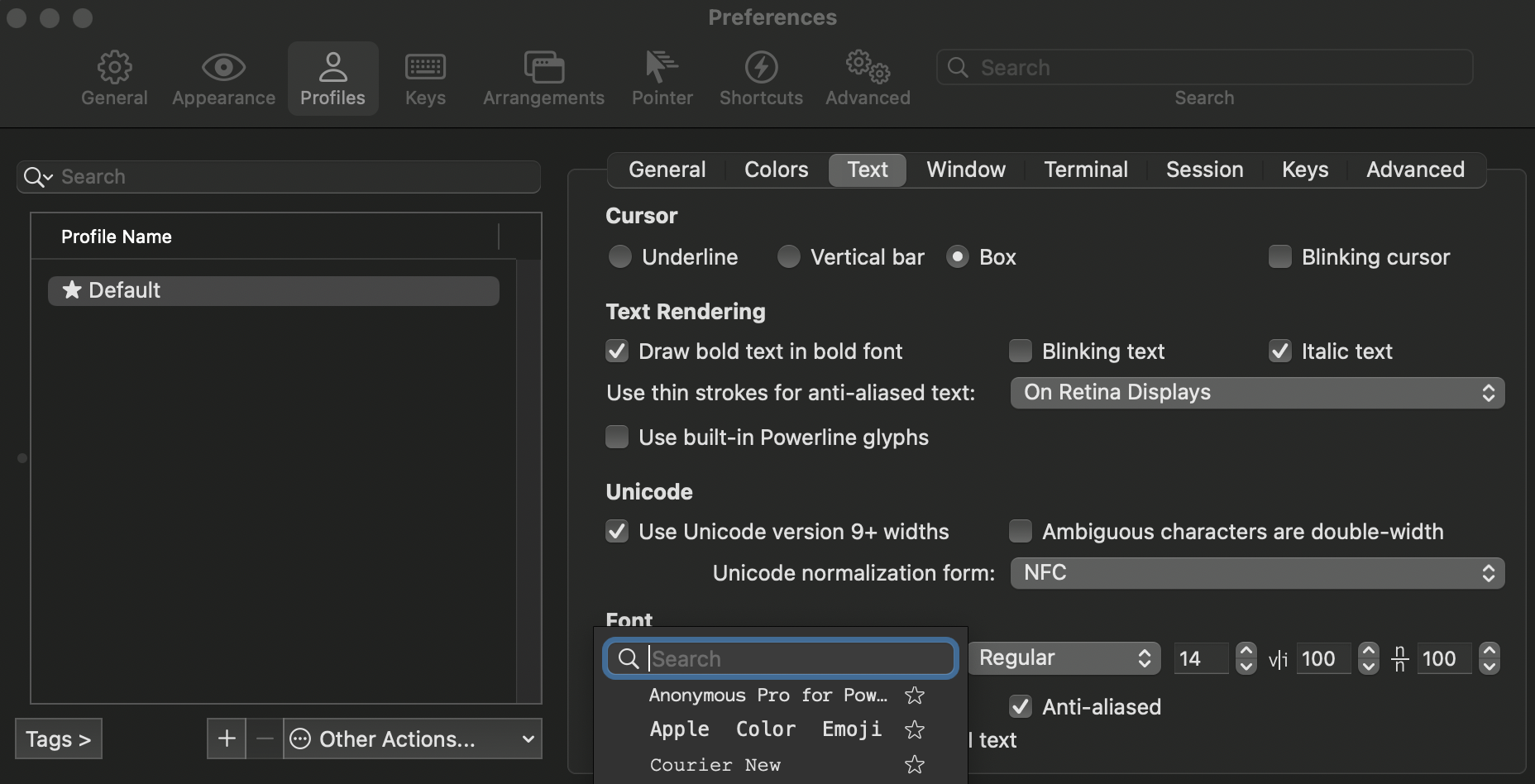
완료 후 아마 깨짐 현상이 있을 것이다 (+ 한글 깨짐)
https://github.com/naver/d2codingfont
GitHub - naver/d2codingfont: D2 Coding 글꼴
D2 Coding 글꼴. Contribute to naver/d2codingfont development by creating an account on GitHub.
github.com
폰트 다운 받고
Preferences > Profiles > Text 가서
Font 적용 하고 Unicode normalization from > NFC로 변경하면 끝